Free Discord PFPs
Dark Theme Optimized
Curated Discord profile pictures designed to pop against Discord's dark theme. Gaming warriors, anime avatars, cyberpunk, and more.
Original


By PFPMe Team. Updated: January 26, 2026.
What is a Discord PFP?
A Discord PFP (Discord profile picture) is your avatar displayed at 128x128 pixels across Discord servers, DMs, and voice channels. Popular Discord PFP styles in 2026 include gaming warriors, knights, barbarians, cyberpunk hackers with neon aesthetics, fantasy RPG characters (mages, elves, druids), anime avatars, and dark edgy designs. The best Discord PFPs use high contrast colors that stand out against Discord dark theme. PFPMe offers 37 curated Discord PFPs at 512x512px optimized for the platform. Download instantly, no signup required.
Discord PFP Categories on This Page
- Gaming Discord PFP (4 images) - warriors, knights, barbarians, berserkers
- Cyberpunk Discord PFP (6 images) - hackers, cyborgs, netrunners, cyber samurai, neon aesthetics
- Fantasy Discord PFP (5 images) - mages, dark elves, dragon-born, druids, blacksmiths
- Anime Discord PFP (6 images) - heterochromia eyes, warriors, mysterious, gamers, elegant, anti-hero
- Dark/Edgy Discord PFP (7 images) - assassins, necromancers, vigilantes, demons, corrupted knights, shadows
- Meme/Cartoon Discord PFP (5 images) - tired office worker, pixel art, judging expression, astronaut
- Aesthetic Discord PFP (3 images) - geometric abstract, galaxy silhouette, minimalist vaporwave
Discord PFP Technical Specs
Discord displays profile pictures at 128x128px but accepts up to 8MB. Upload at 512x512px for best quality. Supports PNG, JPG, WEBP. Animated GIFs require Discord Nitro.
Sources
- Discord profile picture specifications (Discord Help Center, 2026)
- Discord Nitro animated avatar requirements (Discord Support)
Trending Discord PFPs
Click any image to download. All Discord avatars are optimized for 128x128px display with no blur or compression.

Fantasy warrior Discord PFP with glowing sword and plate armor

Noble knight Discord avatar with silver armor and lion shield

Barbarian warrior Discord PFP with tribal war paint battle cry

Hooded assassin Discord PFP with shadowed face and daggers

Divine paladin Discord avatar with holy light and angelic wings

Berserker warrior Discord PFP with glowing veins and rage

Cyberpunk hacker Discord PFP with mirror shades and neon UI

Cyborg Discord avatar with chrome face and mechanical eye

Tech smuggler Discord PFP with cybernetic arm and data chip

Netrunner Discord avatar with glowing fiber optic hair

Cyber samurai Discord PFP with plasma katana neo-Tokyo style

Street rebel Discord avatar with LED tattoos and neon city

Wise mage Discord PFP with glowing staff and arcane symbols

Dark elf Discord avatar with silver hair and violet eyes

Dragon-born warrior Discord PFP with scales and fire breath

Forest druid Discord avatar with antler crown nature magic

Dark necromancer Discord PFP with skull staff and spirits

Dwarven blacksmith Discord avatar with braided beard and hammer

Anime Discord PFP with heterochromia eyes and white hair

Anime warrior Discord avatar with silver hair and katana
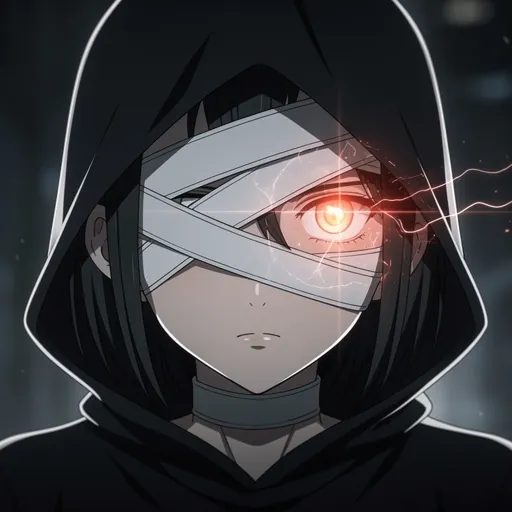
Mysterious anime Discord PFP with bandaged eye dark aesthetic

Energetic anime gamer Discord avatar with headphones peace sign

Elegant anime Discord PFP with traditional updo and kimono

Anime anti-hero Discord avatar with scar and leather jacket

Tired cartoon Discord PFP with coffee Monday energy meme

Pixel art Discord avatar with sunglasses deal with it style
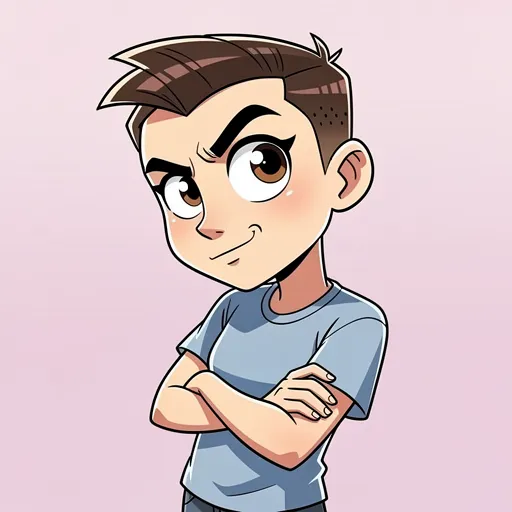
Cartoon Discord PFP with judging side-eye expression

Deep fried meme Discord avatar with exaggerated colors

Cartoon astronaut Discord PFP floating in space wholesome

Masked vigilante Discord PFP with cracked mask glowing eye

Elegant demon Discord avatar with horns suit and hellfire

Corrupted knight Discord PFP with dark armor and red visor

Shadow entity Discord avatar with glowing white eyes in darkness

Plague doctor Discord PFP with steampunk mask Victorian style

Geometric abstract Discord PFP with triangles modern design

Galaxy silhouette Discord avatar with nebula space aesthetic
The Complete Guide to Discord Profile Pictures
Everything you need to know about creating the perfect Discord avatar
Your Discord PFP is your digital identity across servers, voice channels, and DMs. With over 150 million monthly active users, standing out requires a profile picture optimized for Discord's unique dark theme interface. The best Discord avatars use high contrast colors, bold compositions, and clear focal points that remain recognizable at 128x128 pixels.
Discord Avatar Specifications
Why Dark Theme Optimization Matters
Over 90% of Discord users prefer dark theme. Profile pictures designed for light backgrounds appear washed out against Discord's dark interface. Effective Discord PFPs use high contrast elements, neon effects, and clear focal points.
Choosing Your Discord PFP Style
Warriors, knights, and fantasy characters establish gaming credibility
Vibrant hair, expressive eyes, and dramatic poses fit anime servers
Cyberpunk aesthetics resonate with coding and tech communities
Clean headshots work for work servers and networking
Want a Custom AI-Generated Discord PFP?
Transform your photo into a unique Discord avatar with MyPicNow. Our AI creates professional-quality profile pictures in gaming, anime, cyberpunk, and fantasy styles—perfectly optimized for Discord's dark theme.
Create AI Discord PFP →How to Change Your Discord Profile Picture
- Click the gear icon (User Settings) at the bottom-left of Discord
- Select Profiles from the sidebar
- Click your avatar and select Change Avatar
- Upload your image (512x512px recommended)
- Adjust crop and click Save Changes
Pro tip: Discord Nitro lets you set different avatars per server via Server Profiles.
Trending Styles
High contrast designs optimized for Discord's dark theme
Gaming
Warriors, knights & legendary avatars
Anime
JJK, Demon Slayer & Solo Leveling
Dark/Edgy
Mysterious & high contrast
Cyberpunk
Neon hackers & future tech
Fantasy
Mages, elves & mystical powers
Meme
Ironic & reaction-ready
Discord PFP FAQ
Discord profile pictures display at 128x128 pixels, but Discord accepts images up to 8MB. For the best quality, upload images at 512x512px - this ensures your avatar looks sharp both in chat and when users click to view your full profile. All PFPMe Discord PFPs are optimized at this size.
To change your Discord PFP: 1) Click the gear icon (User Settings) near your username, 2) Select 'Profiles' from the left sidebar, 3) Click your current avatar and select 'Change Avatar', 4) Upload your new image and adjust the crop, 5) Click 'Save Changes'. The change applies immediately across all servers.
Animated GIF profile pictures require Discord Nitro ($9.99/month or $99.99/year). Free Discord accounts can only use static images (PNG, JPG, WEBP). All PFPMe Discord avatars are high-quality static images that work for everyone.
Blurry Discord PFPs usually result from: uploading images smaller than 128x128px, heavy JPEG compression, or Discord's own compression on low-quality sources. Fix it by using images at least 512x512px with PNG or high-quality WEBP format. PFPMe images are pre-optimized to avoid this.
A good Discord PFP should: have high contrast to stand out against Discord's dark theme, work well as a small circle (128px), represent your personality or interests, avoid tiny text or details that disappear at small sizes, and use vibrant colors. Gaming characters, anime avatars, and bold graphic designs work best.
Yes! Discord Nitro subscribers can set unique 'Server Profiles' with different avatars for each server. Free users have one global PFP across all servers. To set server-specific avatars with Nitro: right-click a server > Server Profile > Edit Server Profile.
Yes, Discord fully supports PNG images with transparent backgrounds. This creates a cool 'floating' effect against Discord's dark theme. Many of our gaming and anime Discord PFPs use transparency for this effect. Export as PNG to preserve transparency.
To stand out on Discord: use high contrast colors (bright on dark works best), choose unique characters or art styles, add subtle glow effects or outlines, pick images that look good as small circles, and avoid overused memes. Our Cyberpunk and Fantasy categories are designed to pop in Discord's interface.
Want a custom Discord PFP that stands out?
Our AI creates unique profile pictures optimized for Discord's dark theme. Upload your photo and transform it into gaming, anime, or cyberpunk styles.